FOXYPICK EDITORIAL RESEARCHUpdated October 29, 2026How we research
THE FOXY FIVE / RESEARCH EDITION
Five outdoor security cameras without a subscription, compared by what really matters.
Different homes need different security cameras. We compared five local-recording options using published manufacturer information, focusing on storage, subscriptions, power, installation and real ownership costs.
THE FOXYPICK EDITORS’ CHOICE · 2026
Our #1 DIY pick: eufy SoloCam S340
Our research-based favorite for flexible standalone outdoor coverage, dual-camera views, local recording and solar-compatible placement. Not a head-to-head laboratory winner.
Official manufacturer link · not affiliate-tracked · confirm current kit and accessories.
The 30-second read
Best flexible standalone: SoloCam S340. Wide-angle coverage: Argus 4 Pro. Simple battery setup: Tapo C425. Premium multi-camera ecosystem: eufyCam S3 Pro. Powered pan/tilt: Tapo C520WS.
No subscription means the listed systems support local recording without a mandatory monthly storage charge; it does not mean optional cloud backup, rich notifications, or additional storage hardware are always free.
Evidence status: FoxyPick has not personally installed or head-to-head tested these five exact models. Recommendations are based on attributed manufacturer documentation and suitability, with limitations disclosed.
OUR EDITORIAL REASONING
Why eufy SoloCam S340 is our DIY pick
We favor its practical combination of standalone operation, onboard local clip storage, dual-view coverage, pan/tilt flexibility and optional solar placement. It is a better fit for homeowners who want an approachable single-camera setup than a system that requires a separate recording hub.
Who should skip it: buyers requiring continuous 24/7 video, off-camera footage storage by default, or independent comparative reliability evidence. This is a research-based buyer-fit recommendation, not a FoxyPick hands-on test result.
Start with the recording system. Battery cameras prioritize event-triggered clips, while continuous recording generally needs powered hardware and a compatible storage setup. That difference matters more than marketing claims about resolution.
Understand local storage risk. On-device microSD and built-in storage avoid recurring cloud fees but may be lost with a stolen camera. A HomeBase or recorder can help centralize footage, though it adds cost. Check remote playback, SD card endurance, overwrite behavior, encryption and power-failure recovery.
Separate solar claims from real conditions. Solar top-ups depend on placement, shade, winter sunlight and events per day. Do not assume a solar-compatible camera never needs manual charging.
Choose the lens for the job. Pan/tilt covers flexible directions but may not record all directions simultaneously; panoramic models are great for large areas but face detail at a distance can still be limited. Positioning and nighttime lighting matter.
Pros, limitations and genuine editorial confidence
We selected these five to represent distinct buyer needs rather than claiming identical coverage or price tiers. The strongest model-specific evidence currently comes from manufacturer specifications, not matched in-house footage. No numerical FoxyPick scores are assigned. A formal overall winner should be revisited after comparable firsthand tests and reliability data are available.
What to check before buying
Whether the exact kit includes a solar panel, hub, microSD card or mounting hardware.
Whether important alerts, AI detection or recorded clip playback work without cloud service.
Whether battery-powered cameras support only motion-triggered recording.
Operating-temperature limits, Wi-Fi signal, waterproofing and placement in strong sun.
Warranty, security updates, theft protection and replacement-part availability.
Whether the total cost is for one camera or a full multi-camera system.
How to choose the right camera for your home
Driveway or broad front yard
A camera with pan and tilt can follow movement, but it does not observe every direction at once. The eufy SoloCam S340 offers two perspectives and motorized tracking. Reolink Argus 4 Pro takes the opposite approach: a fixed 180-degree panorama that may be better for long, broad frontages. Wide panoramic footage is not the same thing as close-up identification at distance.
A quick wire-free installation
Tapo C425 is attractive for battery-powered mounting without routing electricity. However, you must budget for a separate microSD card and check whether the solar panel is included in the specific kit. Motion frequency, viewing activity and weak Wi-Fi can all affect battery life.
A more sophisticated multi-camera installation
eufyCam S3 Pro is worth evaluating for a larger HomeBase-centered system and its advanced color night-vision modes. The HomeBase requirement makes a single add-on camera price misleading: compare complete bundles and storage capacity before selecting it.
Powered camera with motorized coverage
Tapo C520WS is best considered if mains power is available. That changes the recording equation: powered devices can support recording schedules and local storage workflows that are usually impractical for rechargeable cameras. Confirm the specific recording settings before installing.
Local storage versus cloud: what matters
Onboard memory: avoids an extra card, but retention depends on movement and clip settings. If a camera is stolen, onboard clips may disappear with it.
microSD cards: offer inexpensive local storage with no mandatory cloud fee. Use a high-endurance card compatible with the camera, enable overwrite settings if needed, and verify playback before you rely on it.
HomeBase and recorders: store footage away from the camera and may offer more capacity or central management. They add a separate hardware cost and can require compatible cameras, firmware or network configuration.
Cloud plans: optional cloud video history, rich notification previews or specialist features may cost money even if basic local recording is free. Always compare the features included without an active plan.
Night vision, Wi-Fi and solar installation
For identification, the important question is whether the camera provides recognizable detail at the distance you need—not just whether the packaging says 4K. Lens characteristics, exposure, compression, motion blur and night lighting all matter. Test the intended mounting position after dark and again with vehicle headlights.
Battery cameras work best with reliable Wi-Fi and sensible motion zones. For solar charging, evaluate year-round shade and available sun; a solar panel reduces charging frequency but does not guarantee maintenance-free operation. Cameras with powered Ethernet or Wi-Fi still need a stable power supply.
Eight checks before installing
Confirm the exact model and accessory bundle before comparing prices.
Check whether a memory card, HomeBase or solar panel is required.
Verify no-fee local playback, not just recording.
Confirm the true recording mode: events versus continuous.
Measure Wi-Fi strength where the camera will actually be installed.
Test identifiable night footage at the relevant distance.
Enable account protection and firmware updates.
Practice retrieving a clip after a network or power interruption.
Why we selected these five
These products represent distinct use cases: flexible standalone, panoramic wide-angle, simple battery, HomeBase-based premium, and powered pan/tilt. The category labels describe buyer fit and are not laboratory awards. FoxyPick has not personally tested all five models or established comparable long-term reliability results. Manufacturer documentation is cited; missing field evidence is not replaced with invented test scores.
OWNERSHIP COST
What do subscription fees cost over five years?
Compare a no-required-subscription local setup to an optional cloud plan. This measures subscription expense only—not device, SD card, hard drive, tax, installation, or replacements.
$600 over five years
Illustration only. The $10 default is not a verified rate for any brand; enter your actual cloud-plan quote. Local recording may require hardware purchases or maintenance.
Calculate your real five-year ownership cost
Add your own hardware quote, local storage or hub costs, and optional cloud charges. Example values are placeholders, not current prices.
Does not include electricity, taxes, repairs, network service, or hardware replacement.
PRODUCT DEMONSTRATIONS
Watch It in Action
See real demonstrations before deciding. Videos belong to the credited creators, not FoxyPick. Search links are provided where a precise video has not yet been verified; none of this is FoxyPick-owned testing footage.
ATTRIBUTED YOUTUBE VIDEO
eufy SoloCam S340
Digital David · Installation, app, daytime and night footage; creator affiliate disclosure
Creators may receive free review products or earn affiliate commissions. Assess disclosures and verify exact models and current features independently.
EDITORIAL METHODS
How FoxyPick researched this guide
We reviewed official product and support documentation for exact-model recording type, storage pathways, power, installation and ownership constraints. Product labels describe use-case fit, not controlled comparative performance scores. We did not buy, install or test the models ourselves and do not claim firsthand footage or measured detection accuracy.
We do not currently have comparable independent long-term reliability testing for all five products. We would update the recommendations after observing original recorded footage, night performance, app behavior, heat exposure and replacement/warranty cases under consistent conditions.
Shopping links in this guide point to manufacturer information. No unverified affiliate tracking URLs or unsupported current price claims are included. Our review standard and correction policy explains the editorial process.
Do security cameras work without paying a subscription?
Yes, these models support some form of local recording without a required monthly cloud-video plan. Specific cloud features can still require payment.
Can a battery camera record video 24/7?
Most battery cameras prioritize motion events for power conservation. If nonstop recording is essential, choose a suitable powered camera and confirm the exact recording mode.
Do these cameras work without Wi-Fi?
Do not assume full offline use. Some models may record locally during an internet outage, but setup, remote playback and notifications often depend on Wi-Fi or internet access.
What happens if someone steals a camera?
Footage stored on the camera can be lost with the device. Remote storage in a compatible hub or another recorder may reduce this risk.
Are solar cameras maintenance free?
No. Panel placement, shade, temperature and frequent events influence battery charging. Periodic cleaning or manual charging may be needed.
Is 4K always better than 2K?
No. Useful night detail depends on the lens, sensor, subject distance, exposure and compression as well as pixel count.
Is eufyCam S3 Pro standalone?
It is designed for a supported HomeBase system. Confirm the full bundle and HomeBase requirements before buying.
Is a microSD card included?
Do not assume so. Both Tapo models and Reolink list compatible card storage, but the card is normally a separate purchase.
What does cloud storage add?
It may provide off-site video history, additional previews or convenience features. Verify each feature and the specific plan price.
How much does a ten-dollar subscription cost over five years?
Sixty months at ten dollars per month equals six hundred dollars in subscription charges, excluding equipment and tax.
FoxyPick Editorial · Updated October 29, 2026 · We may revisit recommendations when independent evidence or product specifications change. For security-critical needs, consider a professionally planned, redundant recording system rather than relying on a single Wi-Fi camera.
OUR EVIDENCE-BASED EDITORIAL APPROACH
Five products. Independent evidence. One smarter pick.
Our method: We synthesize attributed third-party hands-on reviews, applicable published measurements, verified manufacturer documentation and ownership-cost calculations. We do not independently test every product. A manufacturer claim is never presented as a scientific measurement, and different experts’ non-comparable tests are not averaged.
Criterion
Illustrative weight
Evidence
Independent performance evidence
30%
Only independently verified, sufficiently comparable tests
Features and capabilities
25%
Exact-model specifications and documented capabilities
Reliability and support
20%
Reliable long-term evidence and documented support policies
Five-year ownership cost
15%
Explicit, dated assumptions; separate installation and recurring fees
Installation and usability
10%
Documented setup effort, compatibility and user constraints
Confidence rule: High = multiple independent exact-model sources with compatible methods; Medium = independent model-specific review plus verified specifications; Low = mostly manufacturer documentation or limited coverage; Insufficient = key evidence missing or contradictory. We publish no numeric score for a criterion with insufficient defensible information. Weights are proposed defaults, not scientifically validated constants; every category must disclose its actual criteria before scoring.
Ranking safeguards: A winner requires a documented comparison of advantages, tradeoffs, evidence confidence and any disagreements between experts. If comparable evidence is missing, we explain a research-based buyer-fit pick rather than imply a laboratory-proven overall winner. We attribute observations, identify affiliate relationships and never invent scores, results, photographs or reviewers.
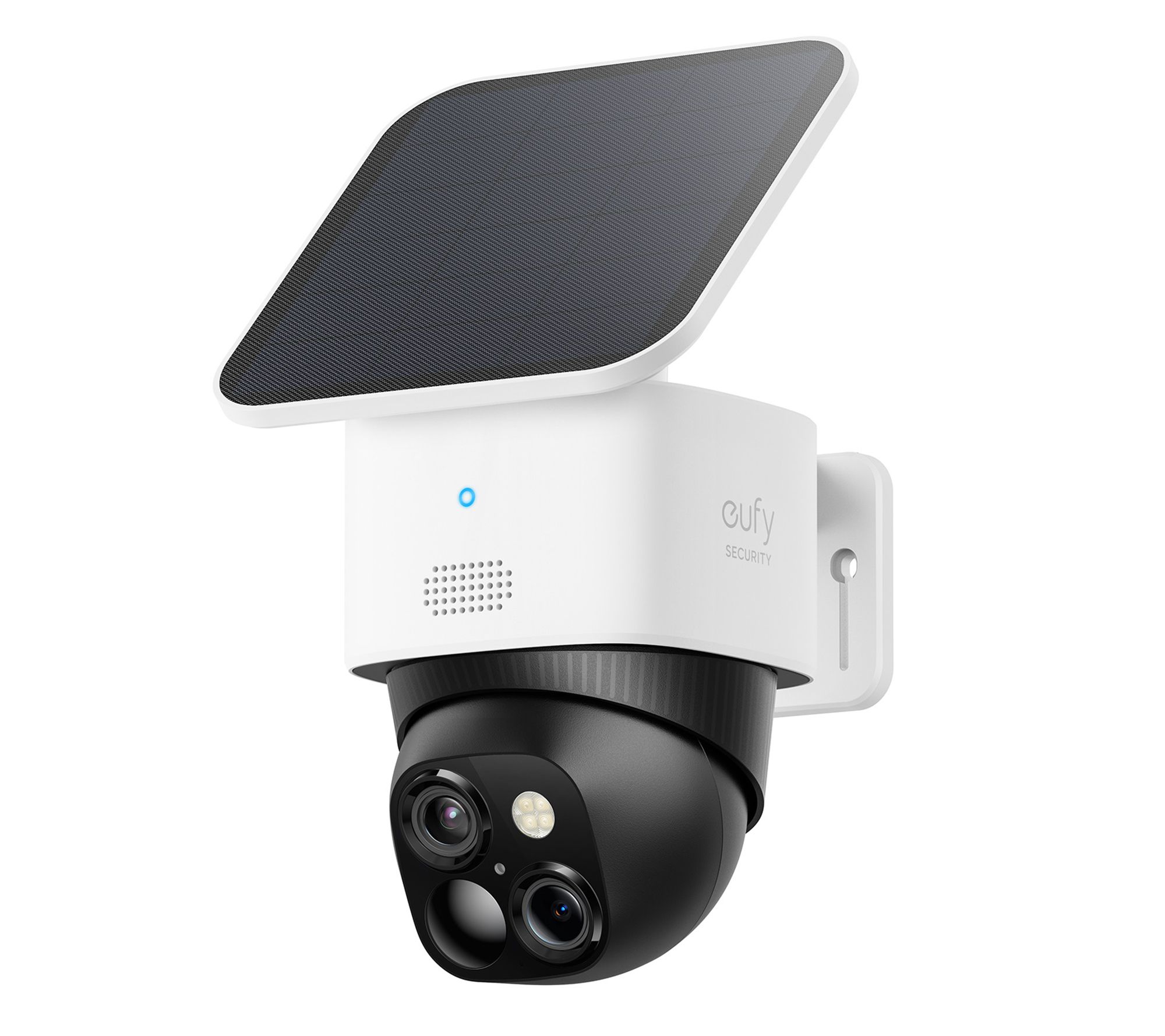 Image: QVC
 Image: BLU/STORE
 Image: Dedeman
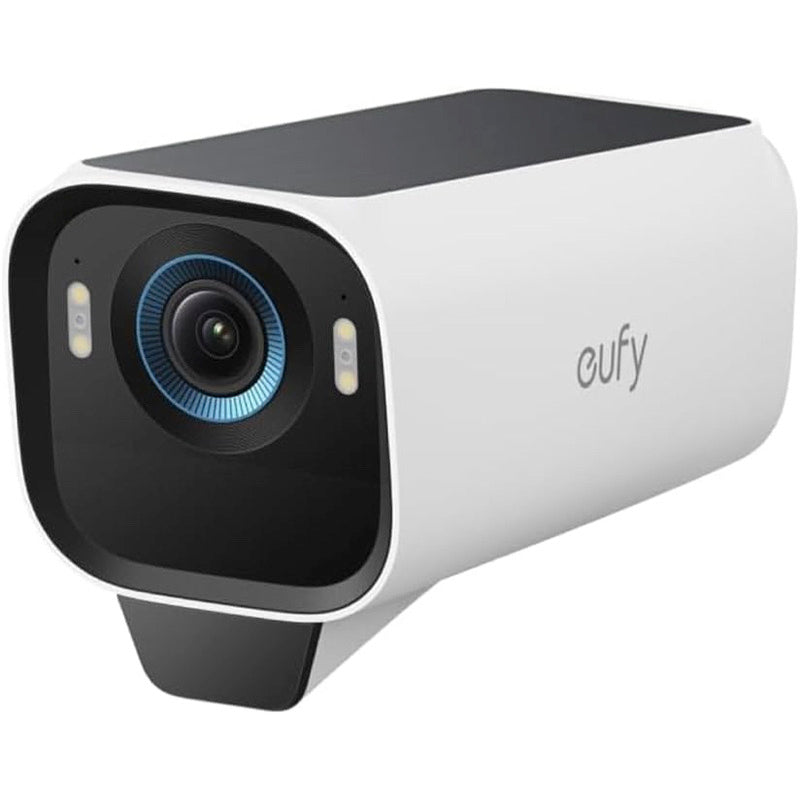 Image: Anker Japan
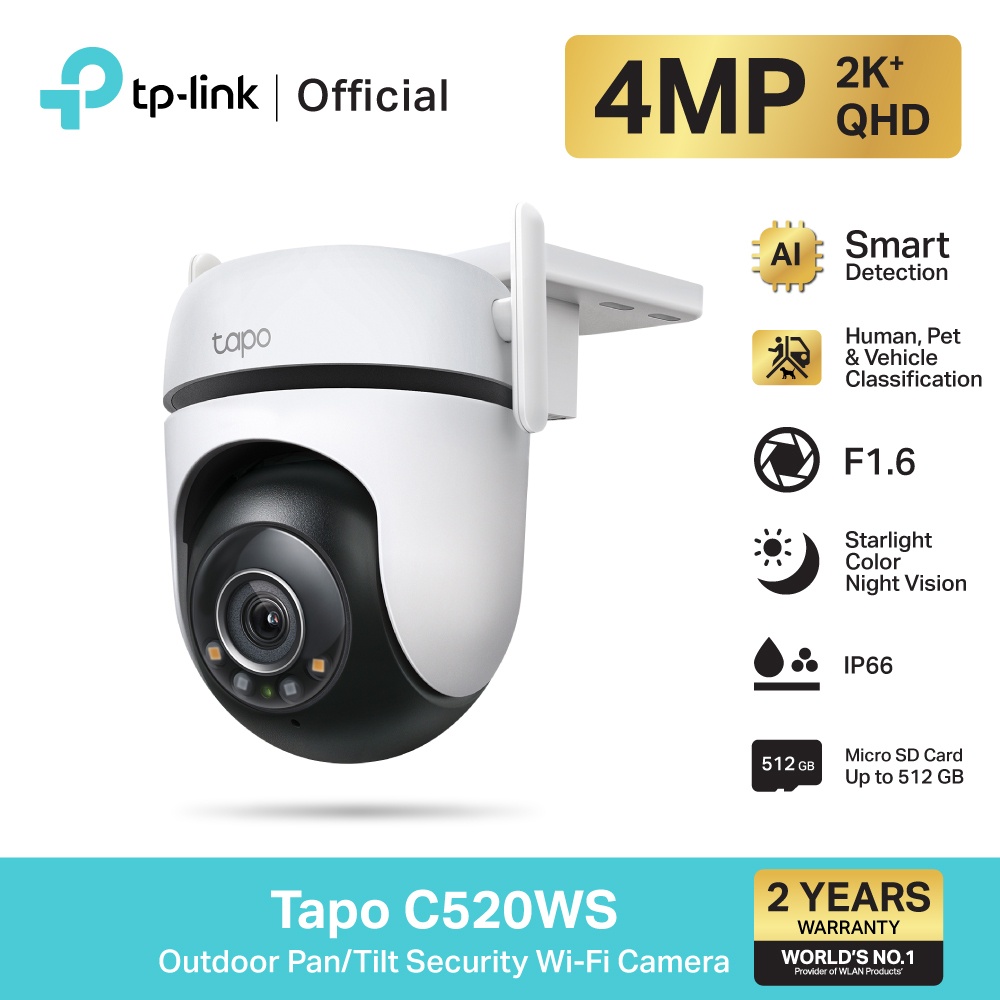 Image: TP-Link retailer